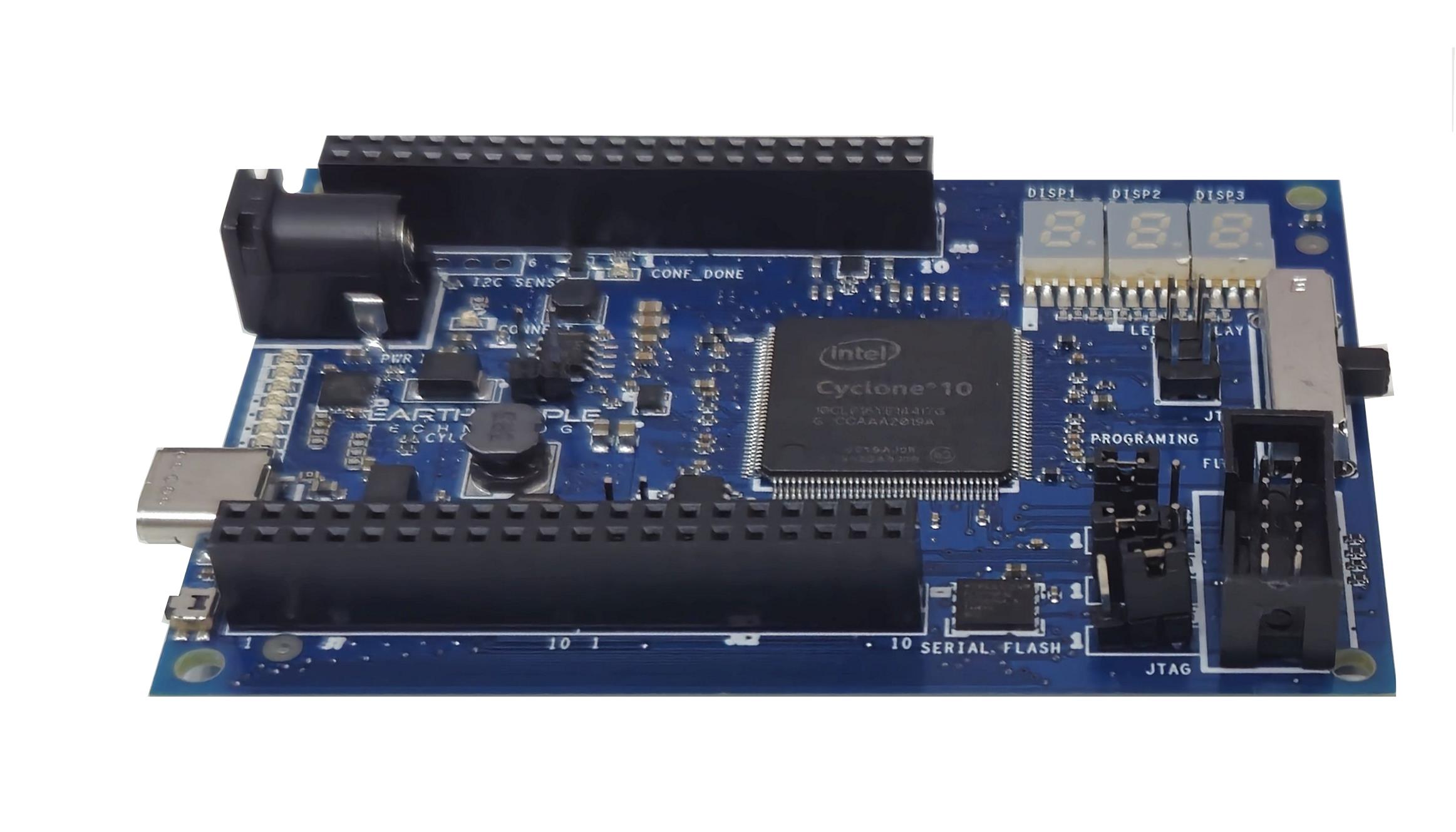
CYCLOFLEX FPGA DEVELOPMENT BOARD
The CycloFlex is an FPGA development board that is designed for the intermediate user with some experience designing FPGA projects.
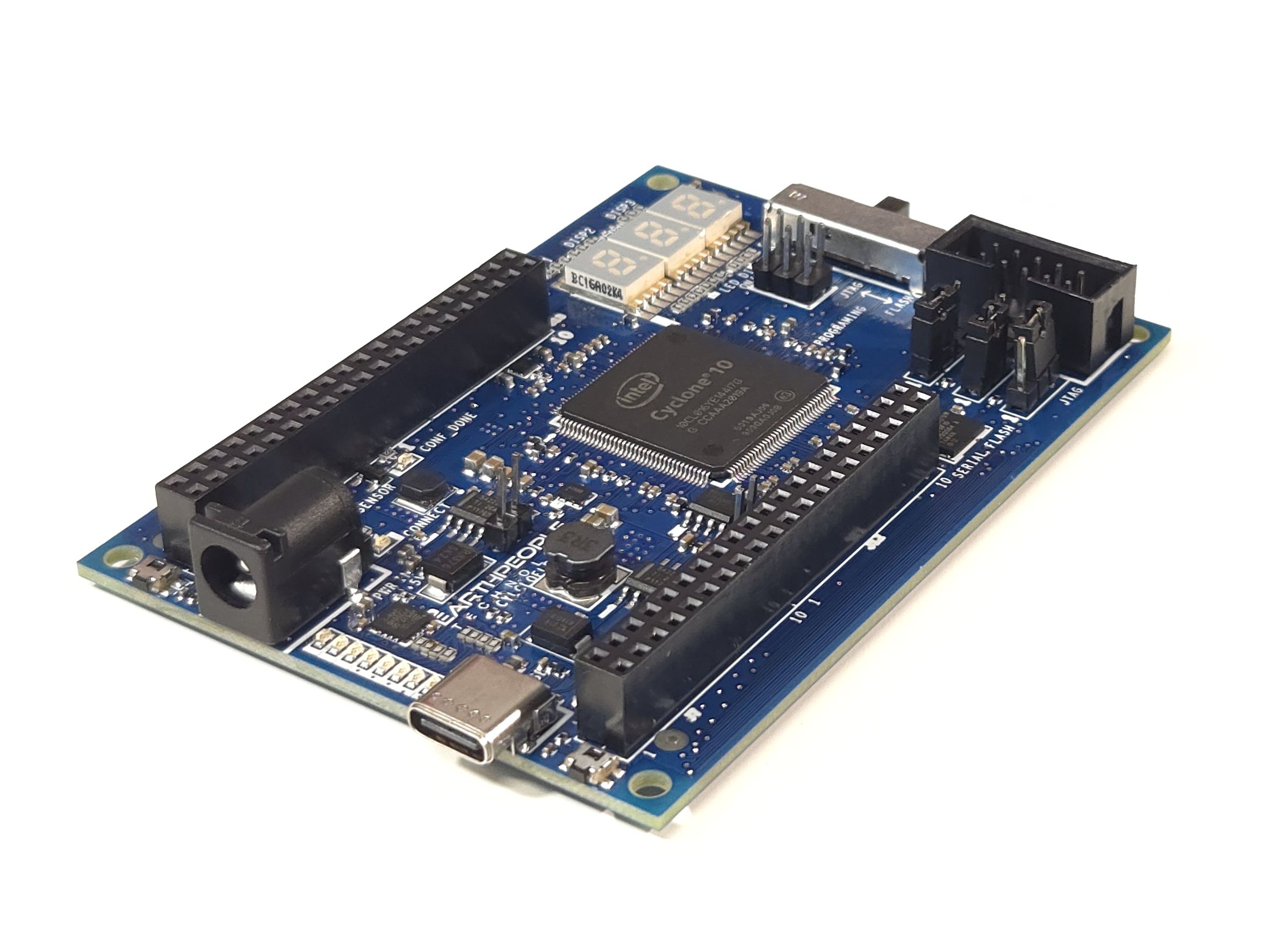
The CycloFlex is packed with powerful features. The core of the CycloFlex is the Altera Cyclone 10 FPGA. This powerful chip has 16,000 Logic Elements and 504Kbits of Memory. The board includes a 128Mbit Serial Flash chip which allows the board to store up user code for using the FPGA as RISC V soft processor.
There are three Green Seven Segment LED Displays, RGB LED and Eight User LEDs. It allows the creation of more diverse projects than beginner projects.
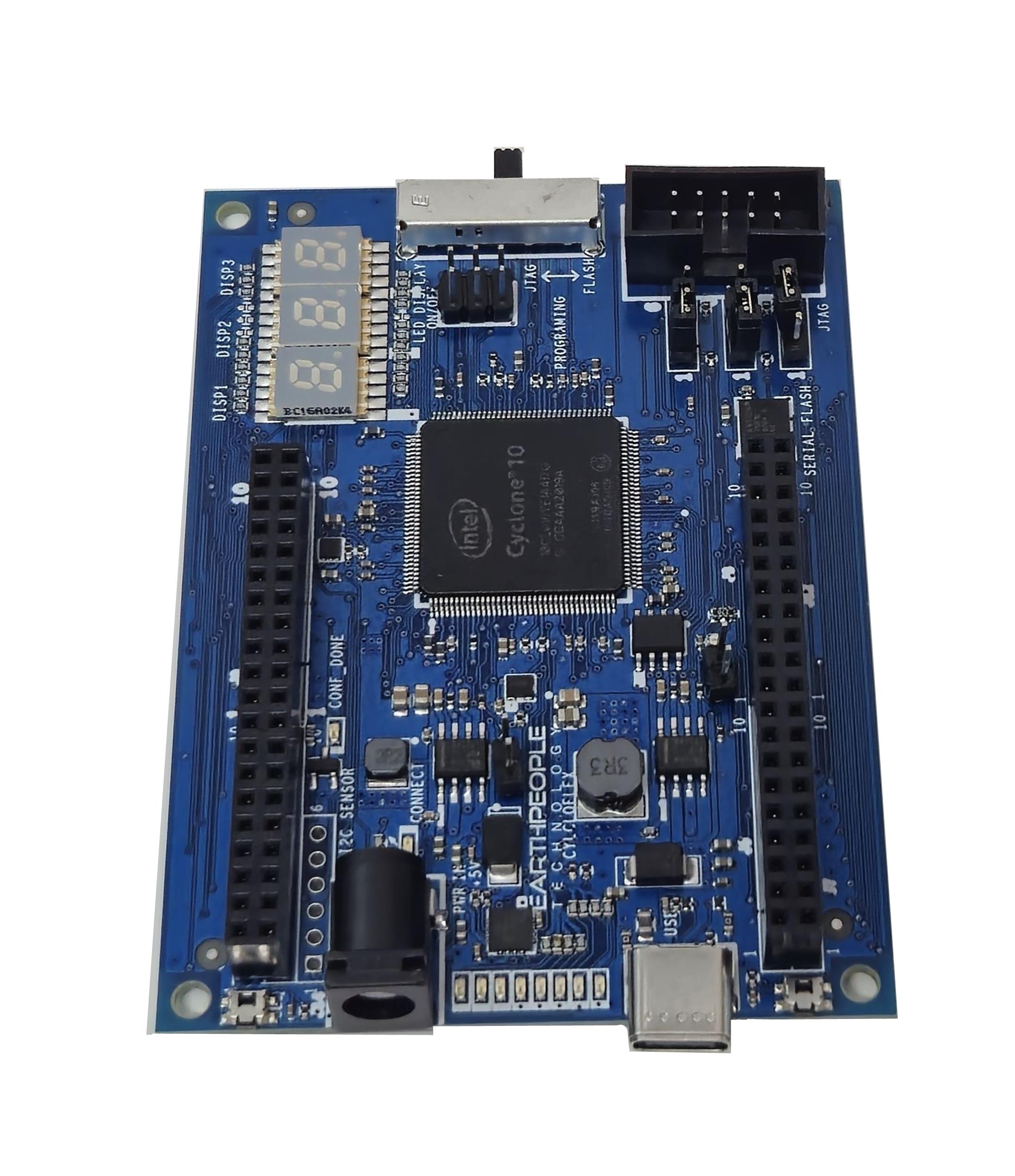
CycloFlex Programming
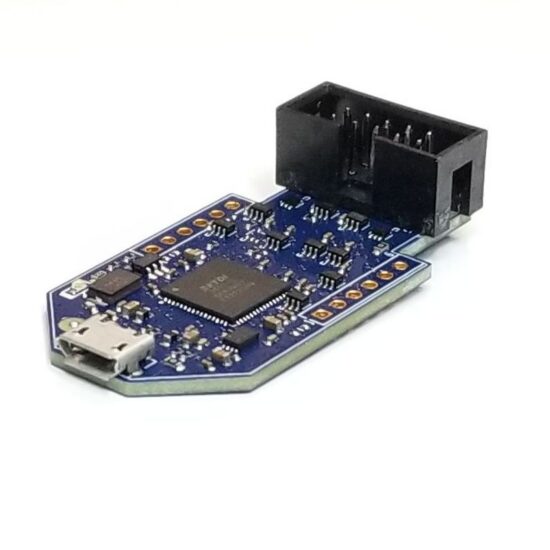
Please Note: The CycloFlex Does Not Contain On Board Programmer. JTAG Programming and Configuration Flash Programming must be performed by external Programmer Purchased Separately.
This board provides a powerful platform for developing and debugging programmable logic code. It has been designed from the ground up to provide the functionality needed for the demanding projects from todays students and hobbyists. The board provides a convenient, user-friendly work flow by connecting seamlessly with Altera’s Quartus Prime Lite software. The user will develop the code in the Quartus environment on a Windows Personal Computer. The programmable logic code is loaded into the FPGA using only the Quartus Programmer tool.
CycloFlex FPGA Development Board
- Cyclone 10 10CL016 FPGA From ALTERA
- 16,000 Logic Elements; 504 Kbit On Chip SRAM
- 64 Available I/O’s at connectors
- Three Seven Segment LEDs
- 8 Green User configurable LEDs
- RGB LED
- 2 User Configurable Pushbutton Switches
- On Board 128Mbyte Flash
- Two Power options: Standard USB (+5V @ 2Amp) Using USB-C connector
- 5mm Barrel Connector Accepts +12V @ 3Amp
- One Clock: 50MHz Oscillator
- On board USB to Slave SPI Adapter for high speed communications
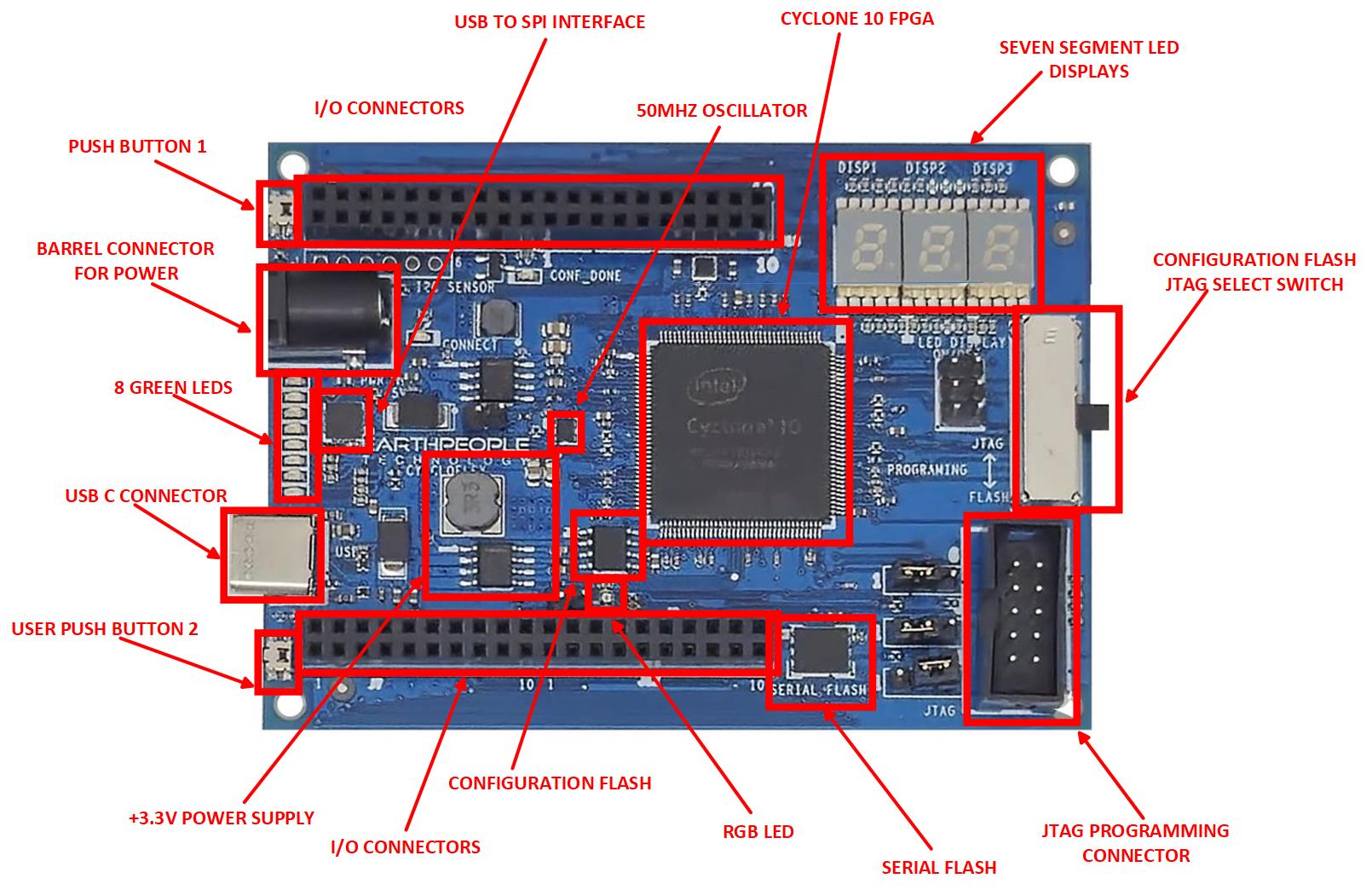
Two Programming Options on the CycloFlex
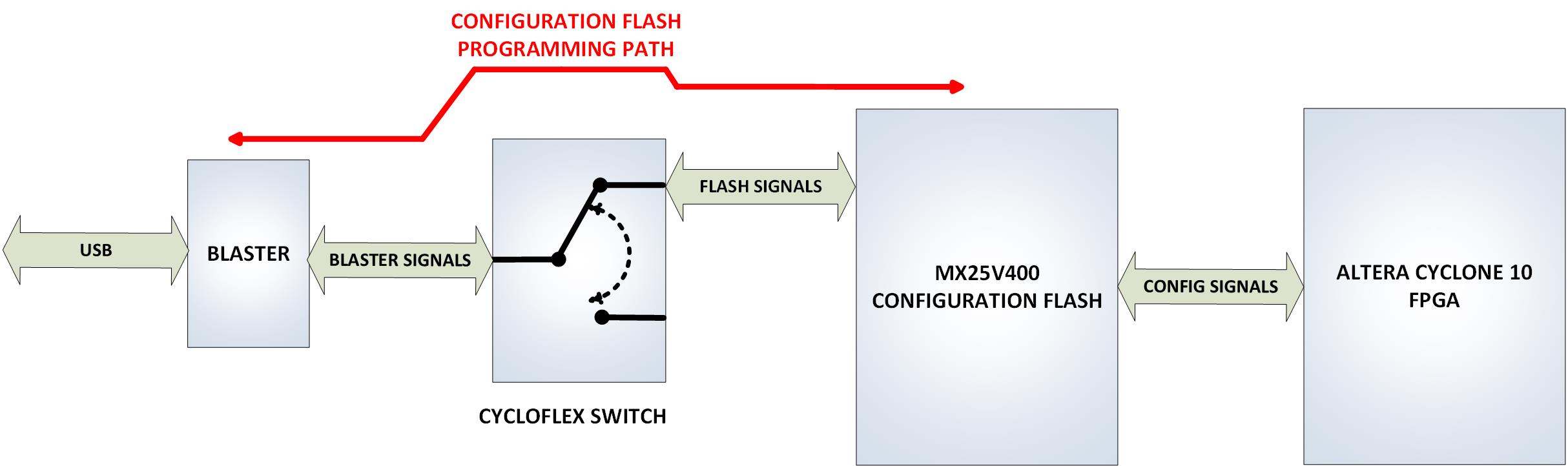
The CycloFlex allows the user to choose between Direct JTAG programming using the *.sof file and programming the configuration Flash with a flick of a switch.

Configuring the Cyclone 10 FPGA on the CycloFlex is the process of programming the compiled/synthesized user project into the FPGA. Once the FPGA is configured with the user project, the CycloFlex board is usable with the code. There are two methods to configure the Cyclone 10 FPGA
- Direct JTAG access
- On Board Configuration Flash chip
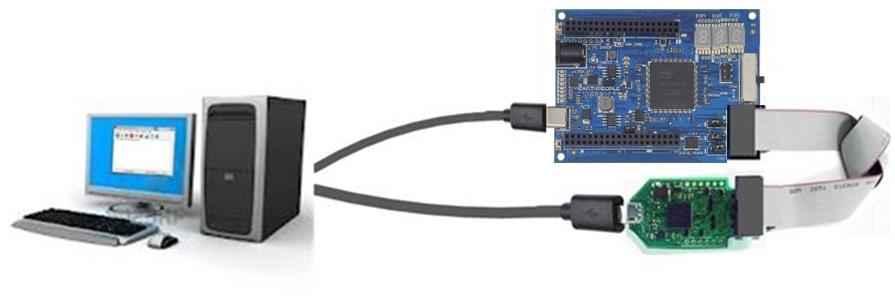
JTAG Access to the Cyclone 10
Direct JTAG access allows the Quartus Prime Lite software to program the object file directly into the FPGA using JTAG. This will configure the FPGA with the user project using volatile memory. If the power is removed from the Cyclone 10, the chip will lose its configuration.

Configuration Flash Programming
The Cyclone 10 FPGA requires configuration before it can be used to perform the functions of the user code. The CycloFlex board includes a 4Mbit Configuration Flash chip that is designed to store the user code. Then, when the power is cycled (On/Off), the FPGA will read the contents of the Configuration Flash and set up the functionality of the user code within the chip. The user will program a *.pof file into the flash chip using Quartus.
CycloFlex Communications
The CycloFlex has an on board USB to SPI Serial FTDI chip to connect directly to the FPGA. This chip is the FT220X chip which allows a Host PC to communicate with the FPGA. The FT220X chip provides all of the USB protocol and is transparent to the user. The Input/Output side of the chip provides a modified version of the accepted SPI bus. It uses FTDI’s proprietary FT1248 protocol.
Terranologic has created demonstration software that provides a bi-directional communication pathway that can transfer data at 500Kbytes/second. All source code is provided and the user is encouraged to use this software to as a base to create custom projects for their need.

Pre-Loaded With System Demo Software
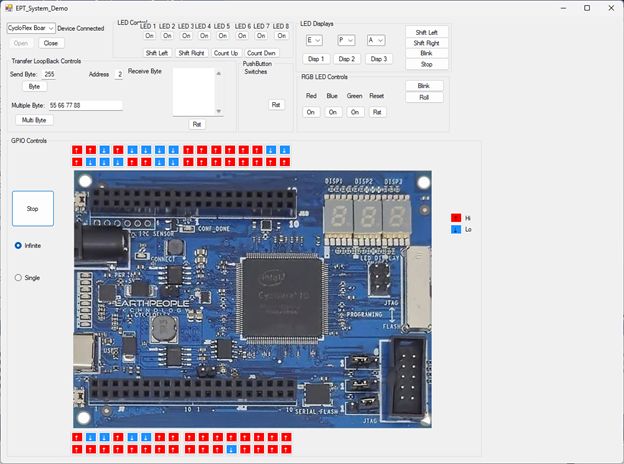
The CycloFlex board comes pre-loaded with the EPT_System_Demo HDL project in the FPGA. This project allows the user to test out the functions of the Active Host API and the board hardware. The software is a multi-function Test Tool which allows the user to turn On/Off the RGB LEDs, Change the speed/control of the User LEDs, display characters on the Seven Segment LEDs, test the Push Button Switches and Send/Receive Bytes from the FPGA. The System Demo Software also has a “Poor Mans Logic Analyzer” which displays the current status of the Inputs/Outputs at the connectors.
This software demonstrates the USB to SPI communications with the FPGA as well as the EPT API Active Host Library. All source code and compiled projects are included on the DVD for the user.
THE CYCLOFLEX HARDWARE
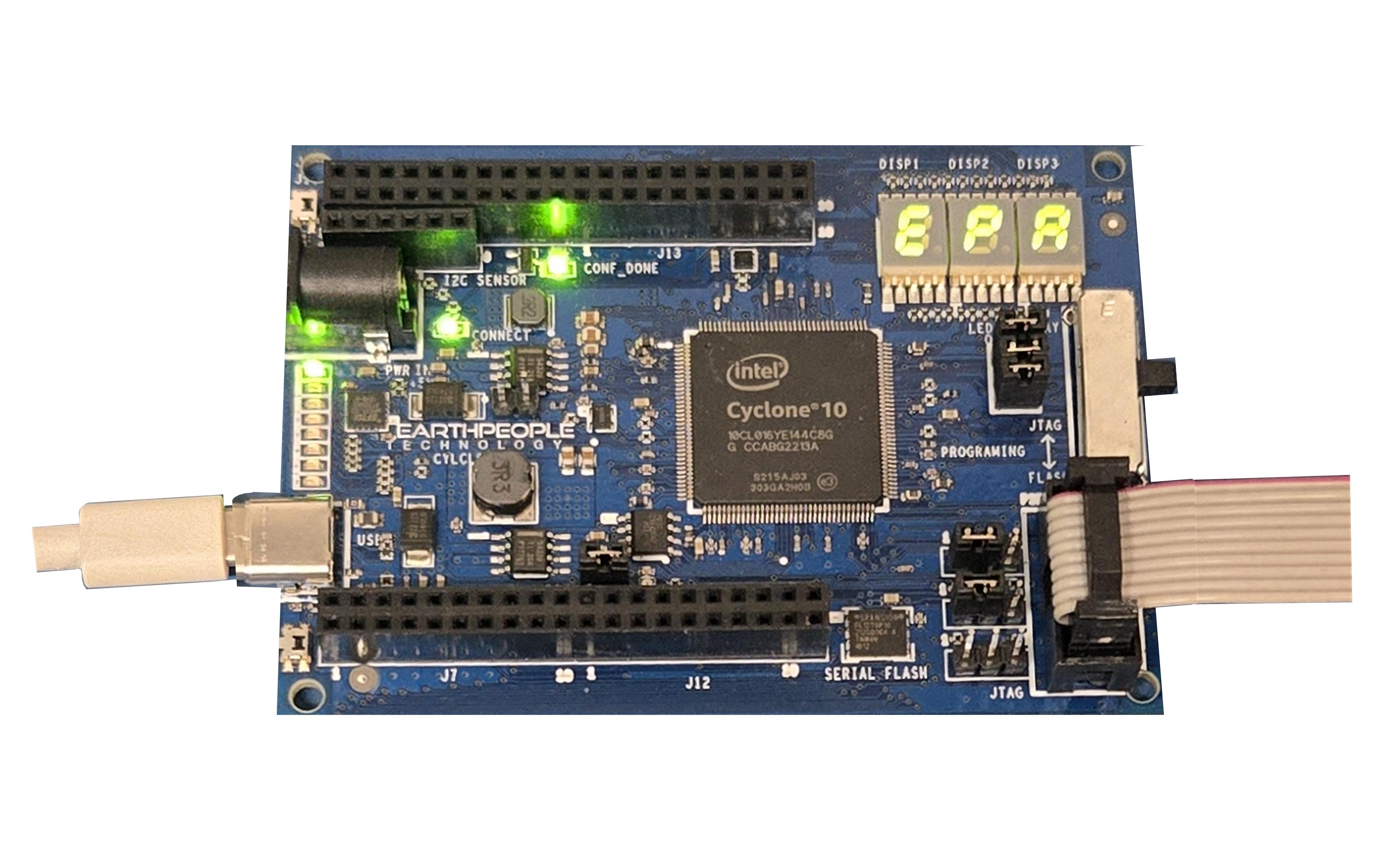
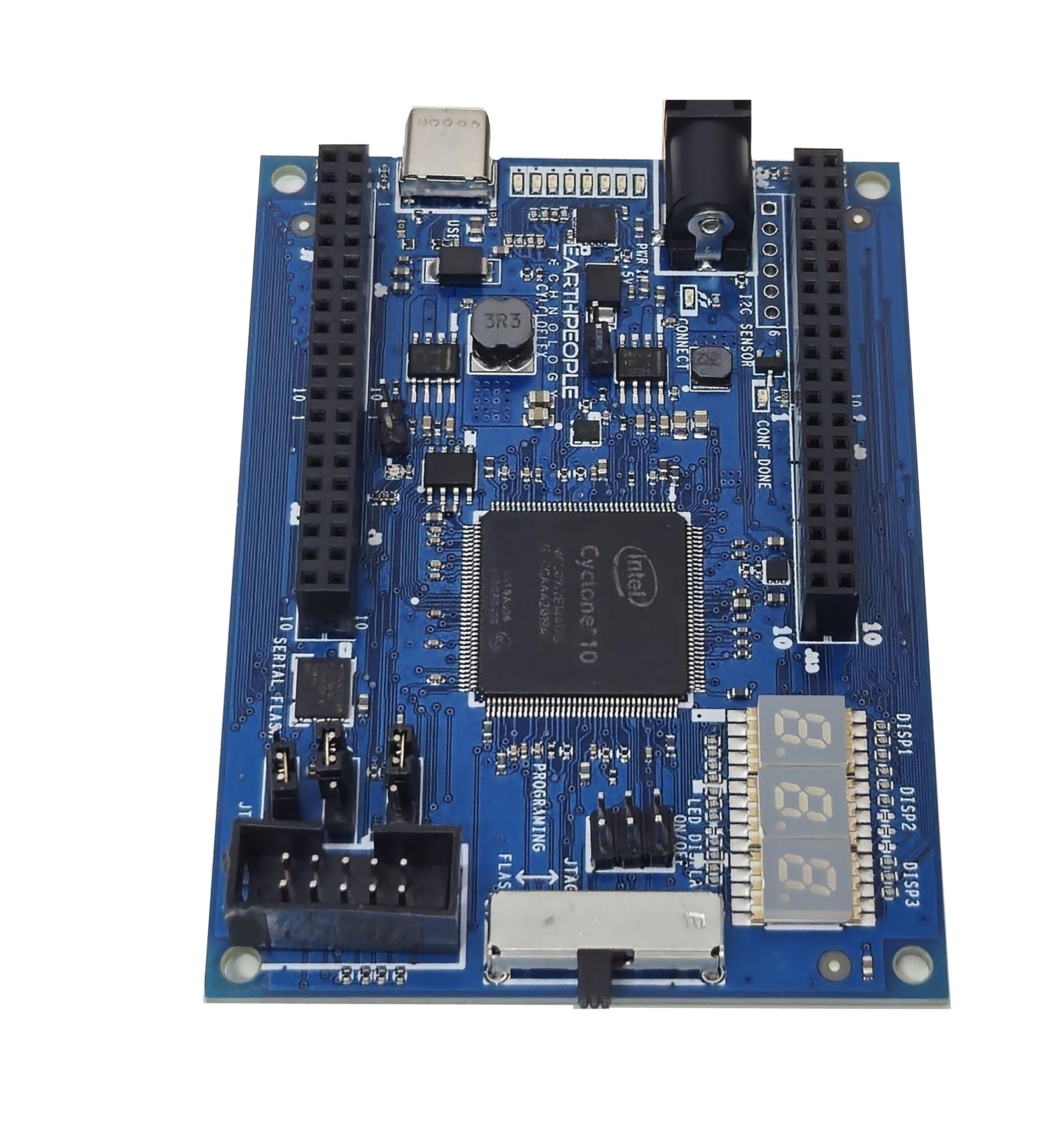
The CycloFlex is Hardware based on the Cyclone 10 FPGA. The board has 64 Inputs and Outputs connected to 0.1 Inch Headers at the board edge. These are organized as eight 10 pin connectors to allow users to connect to off board circuits. Some of the headers contain +3.3VDC and Ground connections.
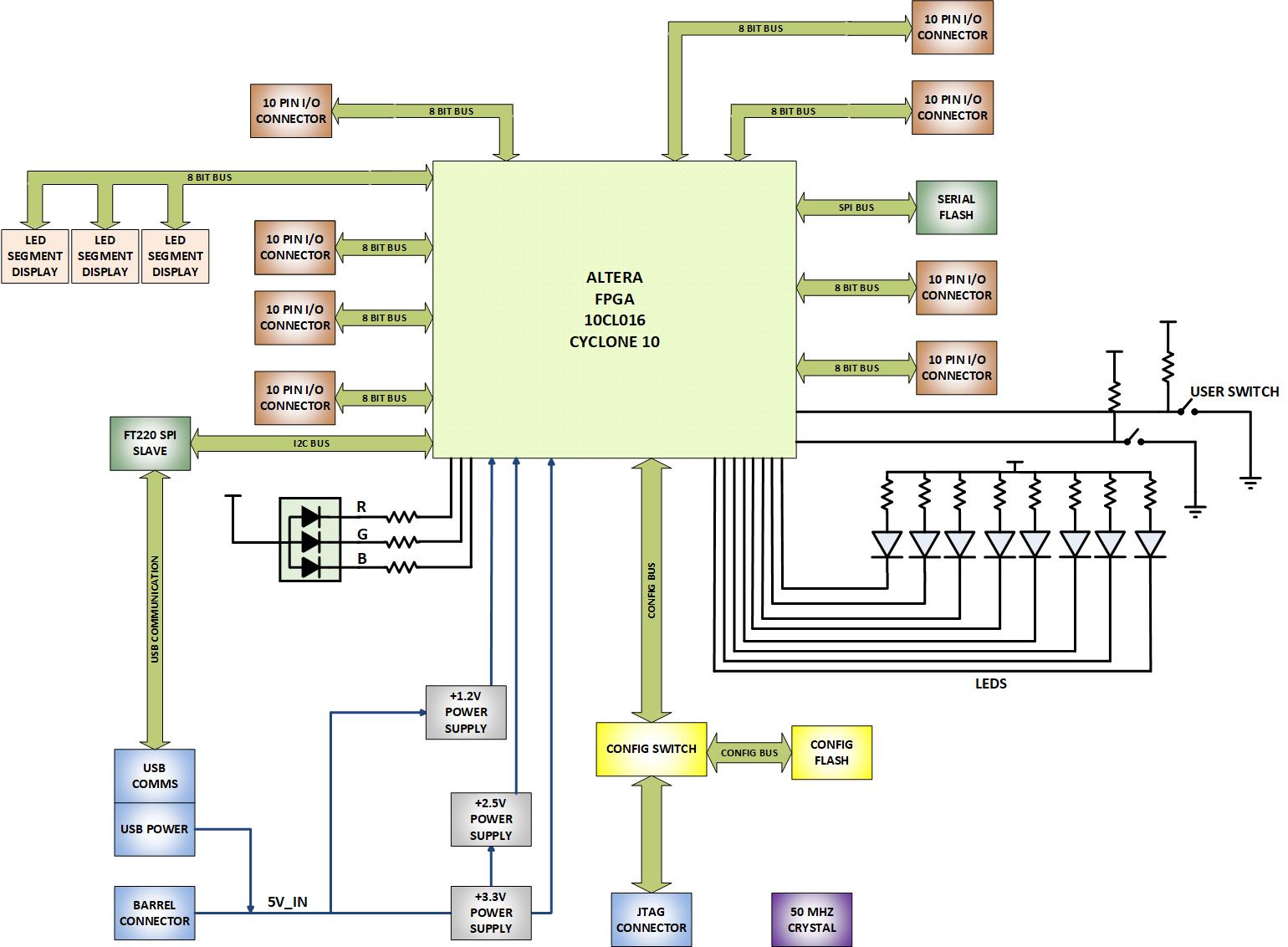
The CycloFlex contains three Seven Segment LED Displays. These displays are controlled by I/O pins from the FPGA. The user manual explains how to write user to display characters on the Displays
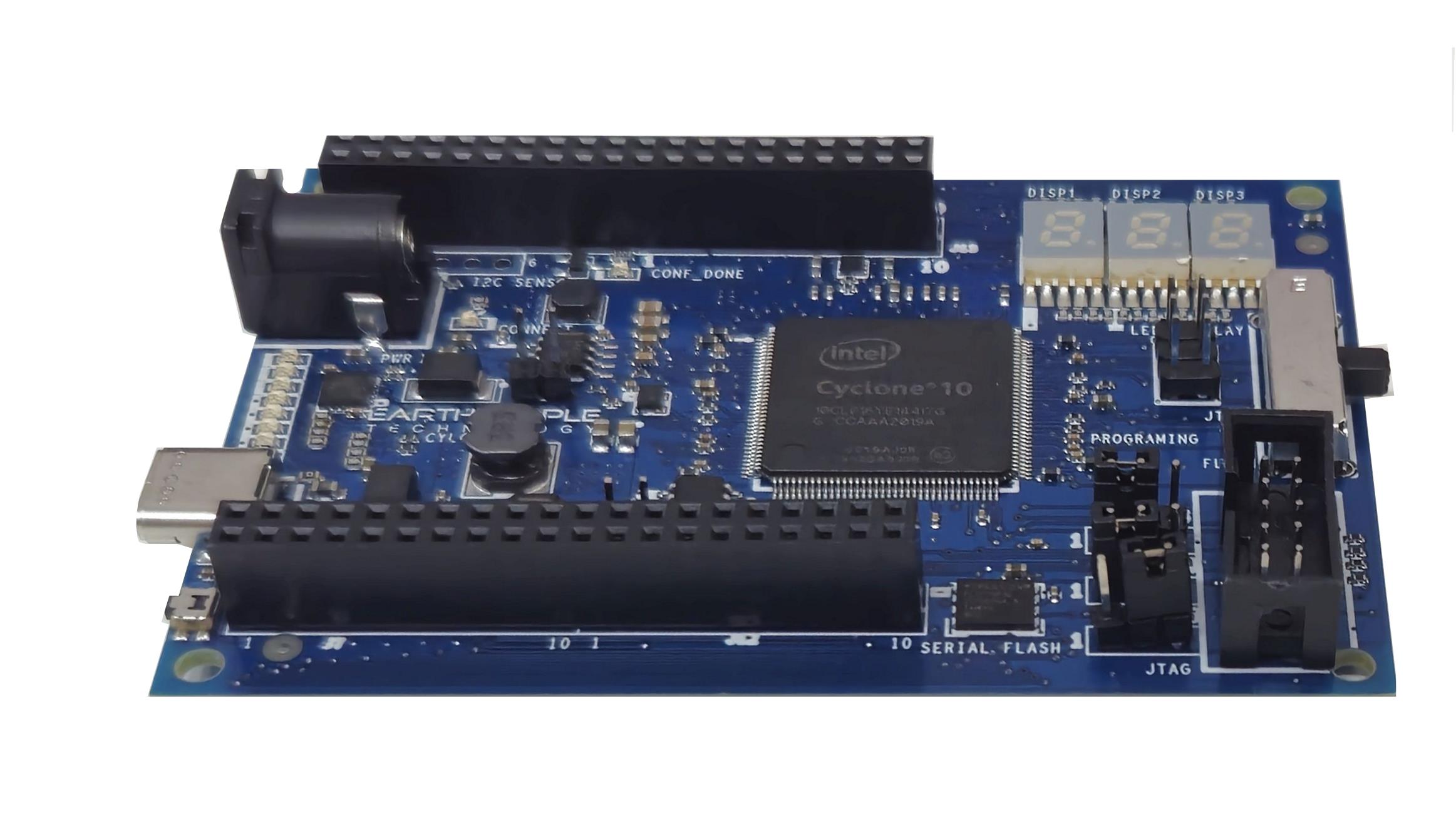
The CycloFlex has a Serial Flash chip on the bottom right board. This allows the user to create a powerful Soft Core Processor within the FPGA. Processor code can be loaded into the Flash Chip via the USB to SPI Serial link. The user can then execute code out of the Flash Chip. The 50MHz oscillator on board makes this a powerful project for the intermediate FPGA user. The CycloFlex Board is the perfect board for powerful projects.
THE CYCLOFLEX AND SIMULATION
Simulation has always been a weak point for students and hobbyists. Most FPGA beginners write the user code, compile it, synthesize it, program the chip then test out the results. While this approach may work for small, simple designs, it quickly becomes a problem with larger projects. As the user code increases in complexity, better development tools are required to quickly isolate problems. The premier method for this is functional testing.
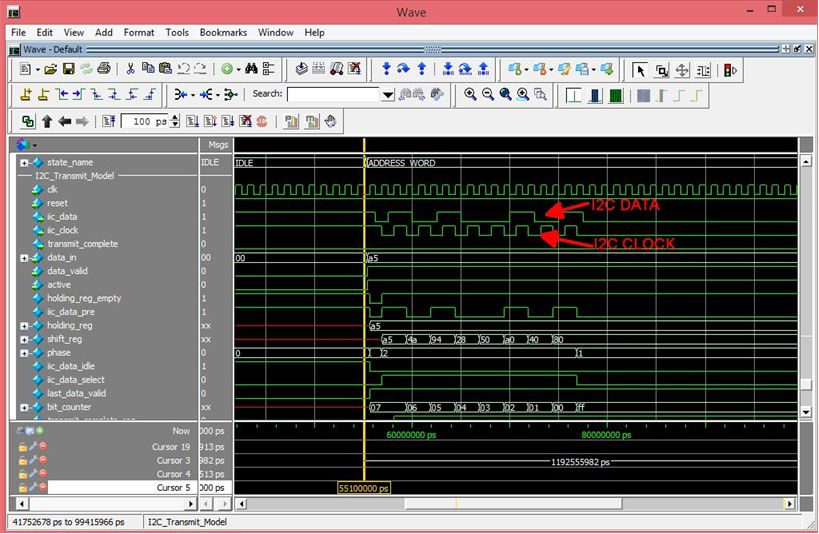
ModelSim/Questa is included Free with the Quartus Prime Package. ModelSim/Questa is a powerful tool for finding errors in the user code before you go to synthesis. Terranologic has created a guide that walks the user through creating a project and verifying functionality of user code. This guide will explain the use of the TestBench, Tasks, and Models in verification of the user code. In specifics, the guide will explain:
- Create a ModelSim/Questa Project
- Create a Makefile and Compilation of user code
- Create a TestBench and Stimulus of user code
- Add Synopsys Design Constraints
- Assign Inputs and Outputs to pins of the Cyclone 10
- Create Models for user code to Interact With
- Add Clock Signals, Resets, and Timing Elements
- Debug the Functionality of user code
In short, the CycloFlex will cut the time to get the time to get up and running significantly. We also include several pre-made, fully compiled, fully synthesized projects for the user. You can start your project by copying one of these premade projects and adding user code.
Downloads
| 85-000113 | CycloFlex FPGA Development System User Manual | CYC_MAX_FPGA_DEV_SYS_UM.pdf |
| 95-000113 | MaxProLogic FPGA Development System Data Sheet | CYCLOFLEX_FPGA_DEV_SYS_DS.pdf |
| 45-000113 | CycloFlex FPGA Development System Project DVD | CYCLOFLEX FPGA PROJECT DVD |
| 55-000113 | CycloFlex FPGA Development System Schematics | CYCLOFLEX SCHEMATICS.pdf |
| 35-000100 | EPT Drivers | CDM2123620_SETUP.ZIP |