Overview
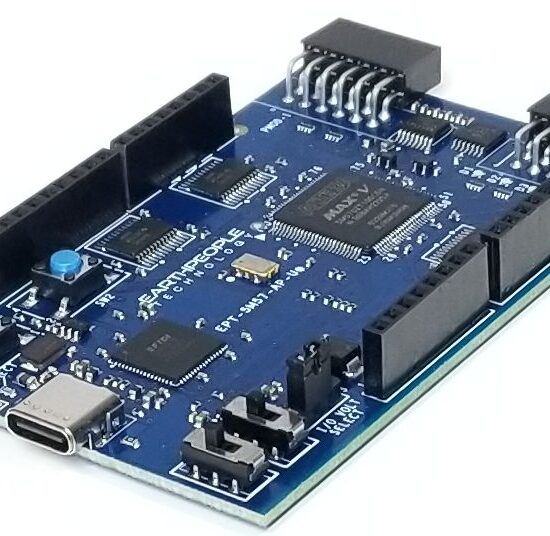
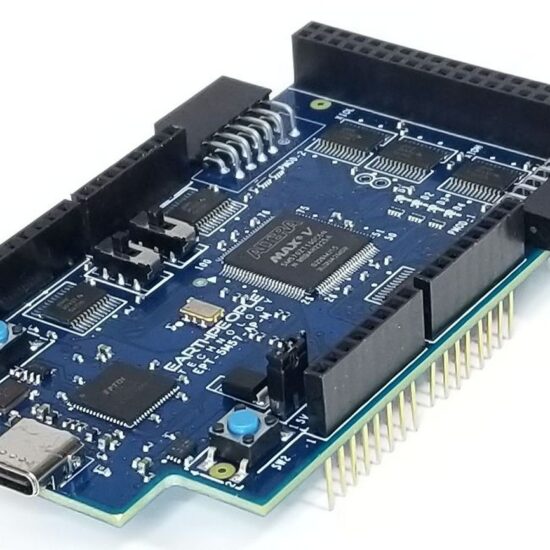
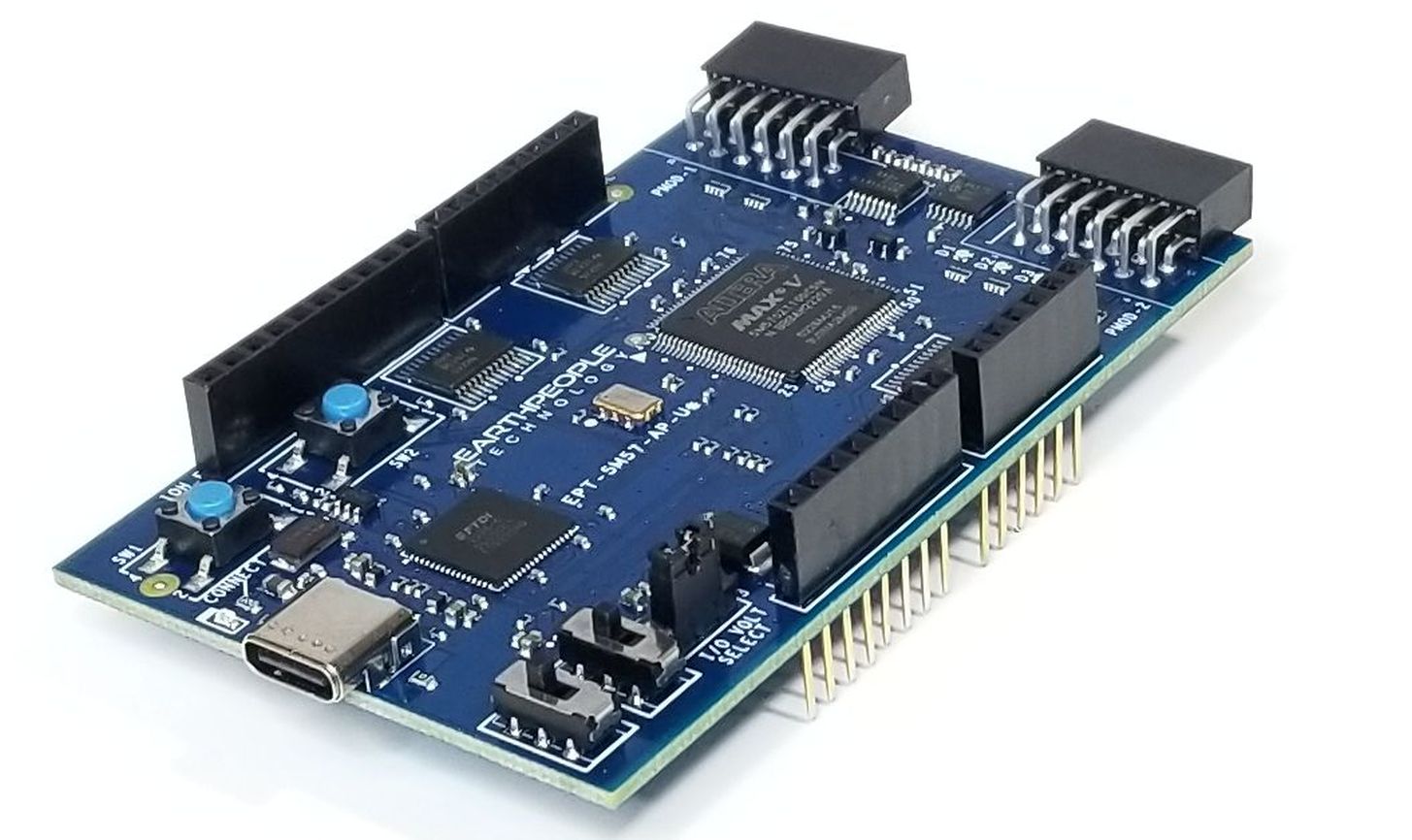
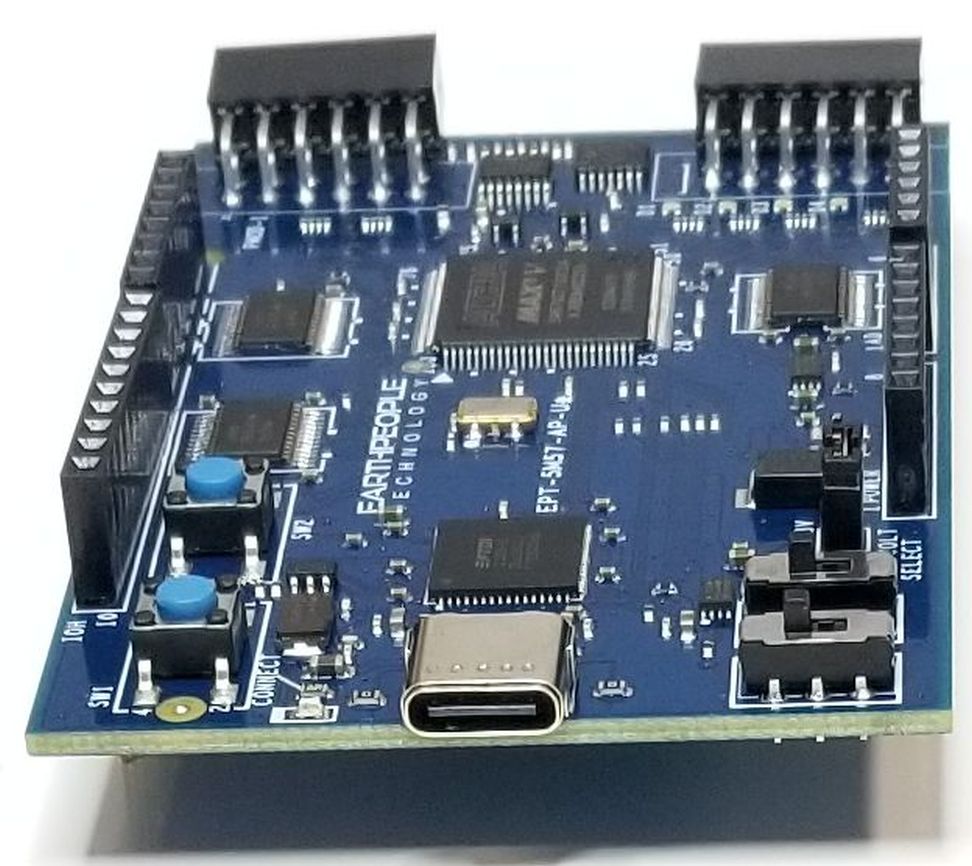
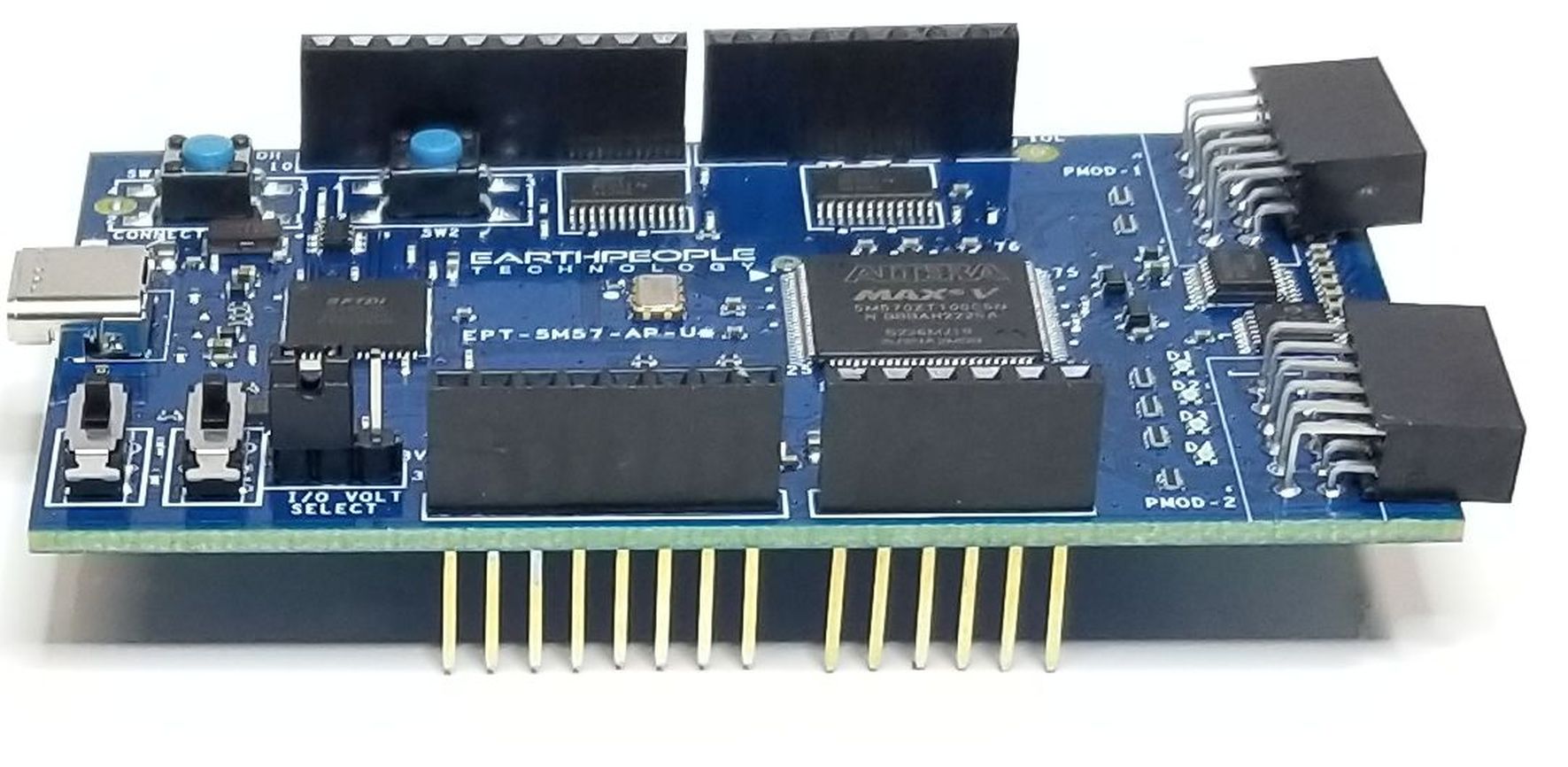
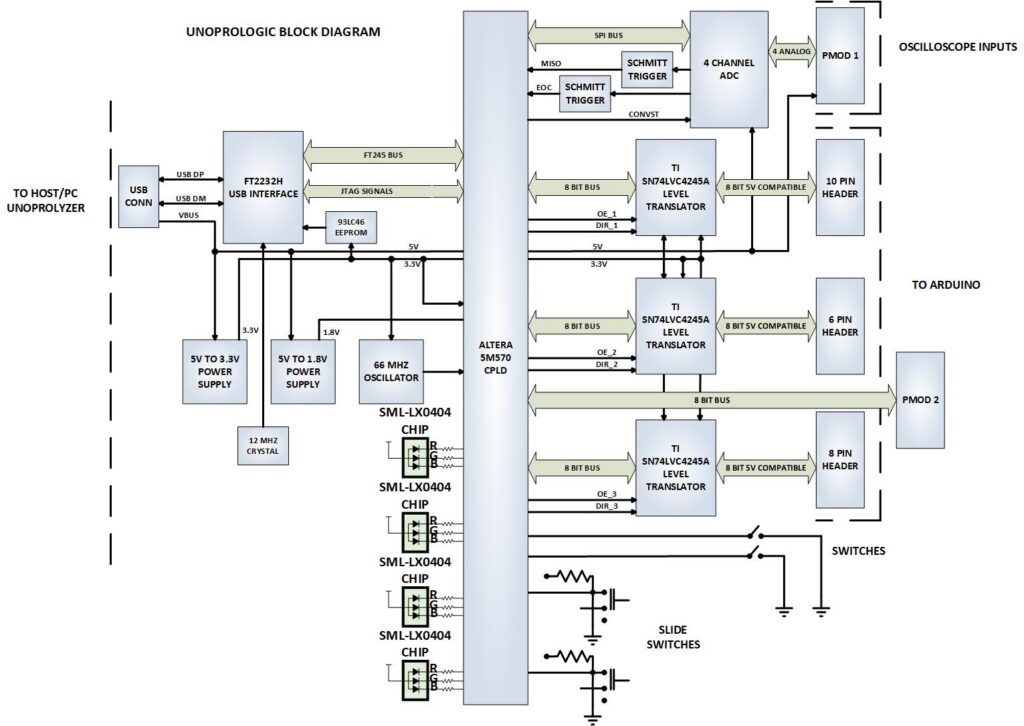
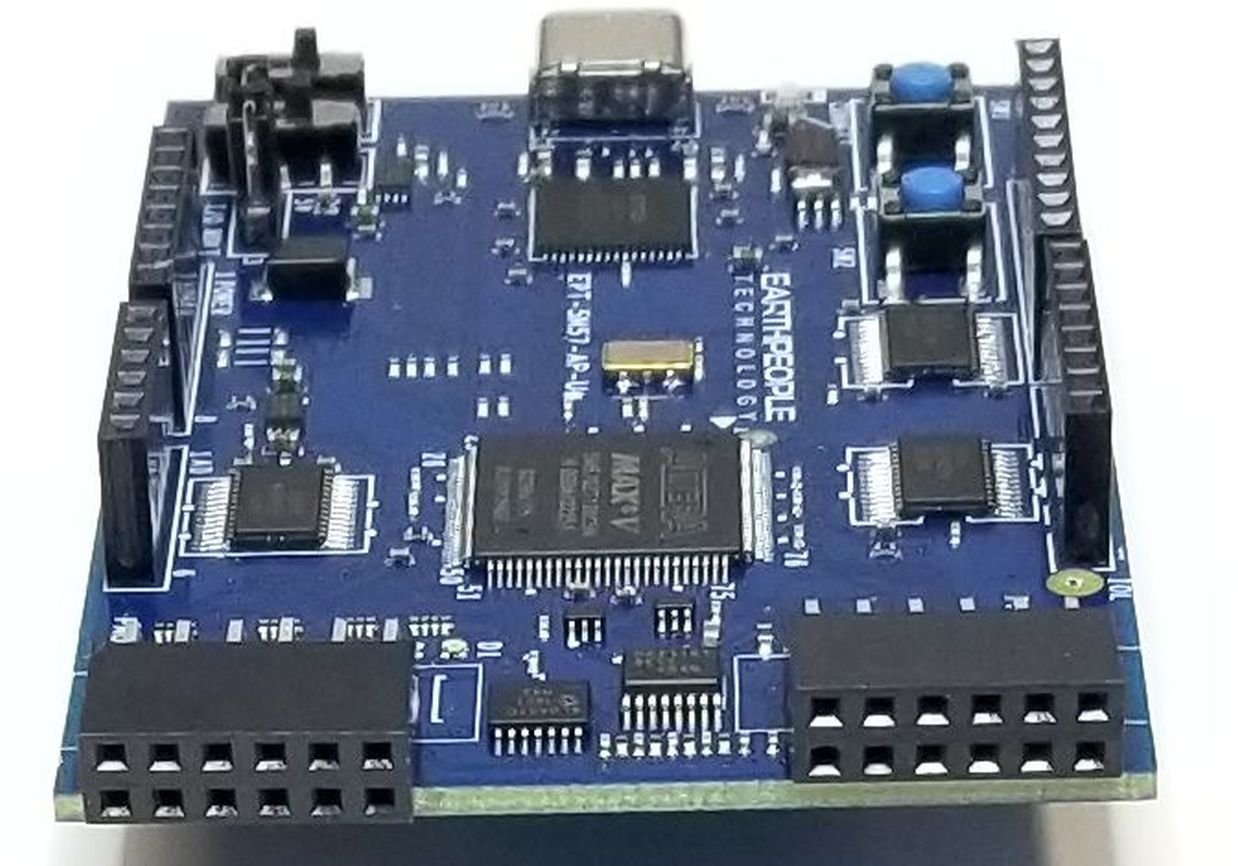
The UnoProLogic makes programmable logic easy with an all inclusive development platform. It includes an Altera 5M570 CPLD, JTAG programmer, and a four channel ADC with 300KS/second sample rate. You can create your HDL code, program it into the CPLD and interact with the hardware via a Windows PC.
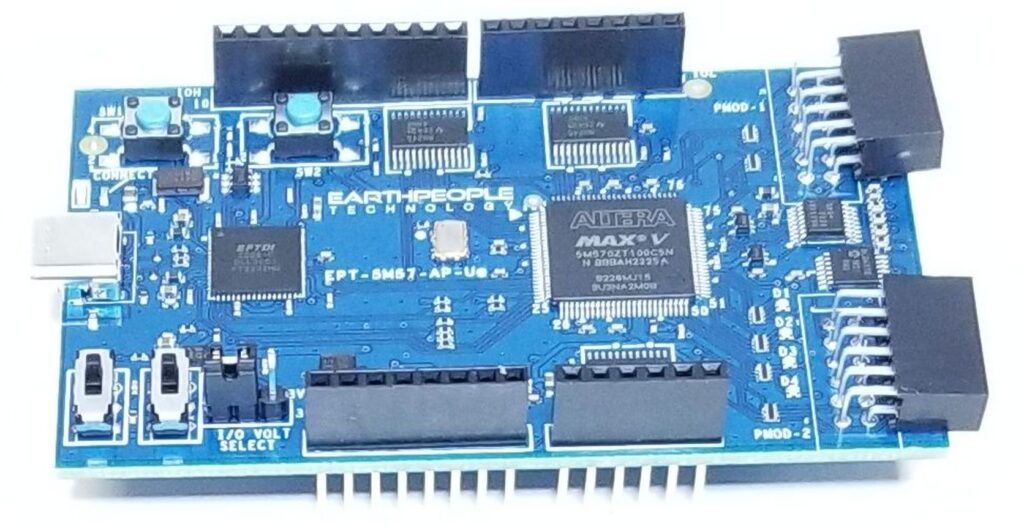
The UnoProLogic is designed as the perfect introduction to Programmable Logic. The Board includes an on board programmer that is compatible with the Quartus Prime Lite Software.
Hardware Features
- Four Channel ADC with 300KS/second
- Altera 5M570 CPLD with 440 MacroCells
- 66 MHz Oscillator
- FTDI FT2232H High Speed USB data transfer
- 24 User I/O’s with 3.3/5 Volts Selection
- PMOD Connector
- Four RGB LED’s
- Two PCB switches
- Two Slide switches
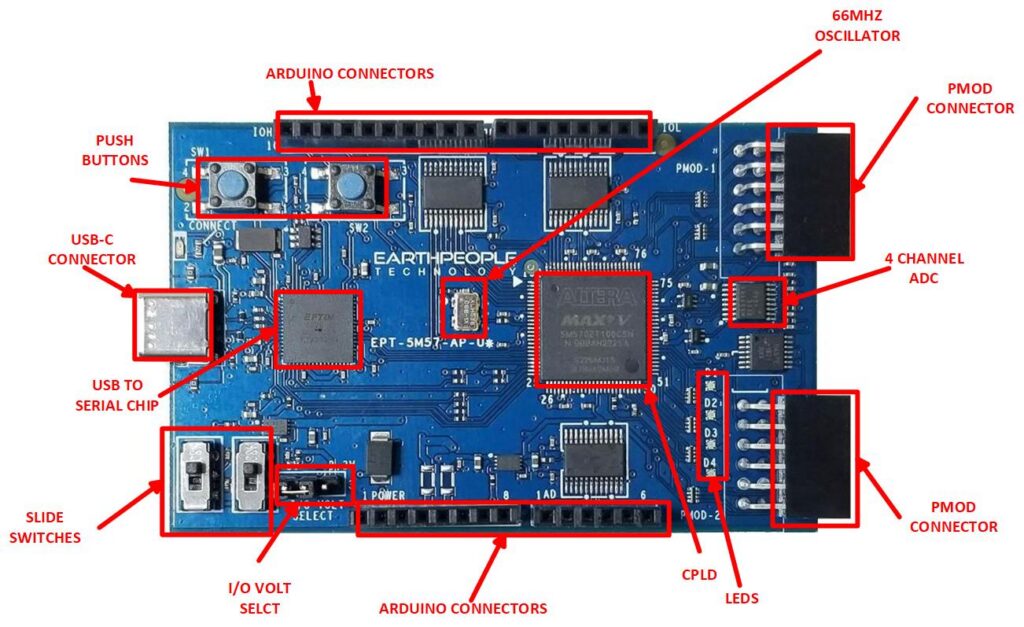
The UnoProLogic includes a USB-C connector. This connector provides power, communication, and programming for the board.
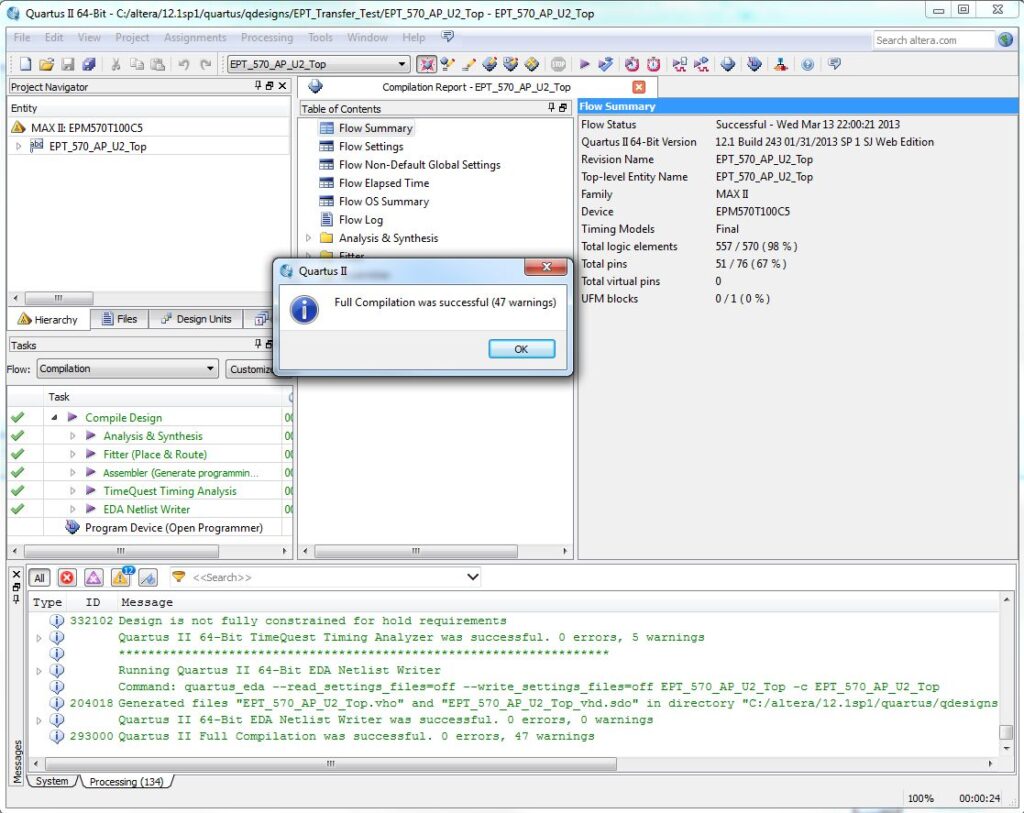
The UnoProLogic DVD provides detailed step by step instructions to quickly guide the user to create a project. The entire Quartus II software is included on the DVD. This let’s you bypass the lengthly download process involved in getting the 4.6 GB file. Once the Quartus software is on your desktop, we will show you how to create a project, write you first LED blinky code, compile and program the CPLD.
- Beginners CPLD Development User Manual, includes step by step guide to building your first programmable logic project
- Programming of CPLD from Quartus Prime Lite Software
- High Speed Data Transfer for Your Arduino or any microcontroller
- High Speed Clock Available
- No USB Driver Programming
Programming the CPLD
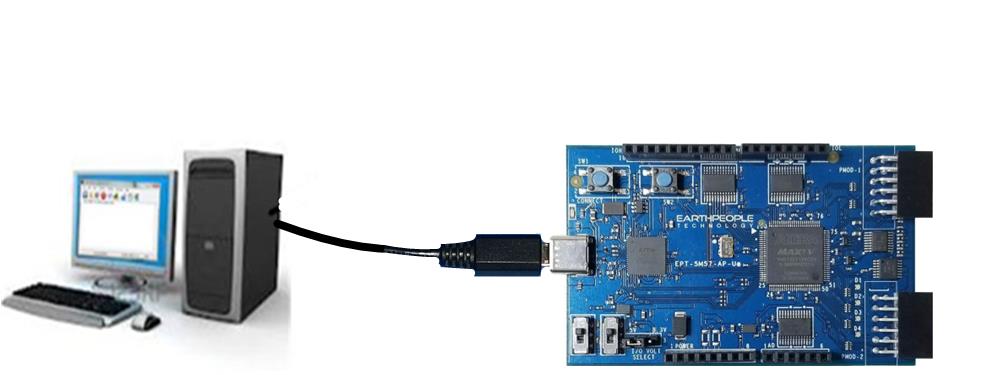
The CPLD on the UnoProLogic can be programmed with the code created by the user. Programming is quick and easy. All that is required is a standard USB-C cable and the Quartus Software installed on the PC. There are no extra parts to buy – just plug in the USB cable and connect the UnoProLogic to the PC.

Arduino Compatibility
The UnoProLogic has four stackable headers that positioned to allow connection with the Arduino Uno. You can use the CPLD to perform high speed communications, multi sensor fusing or extra storage capacity.

Connecting To Hobby Electronics Made Easy
The UnoProLogic easily connects to other Hobby Electronics. The durable 74LVC82245 Bus Transceivers allow up to 50mA per Output on the Stackable Headers. This kind of power can drive all kinds of electronics such as long distance cables, LEDs, and high speed
electronics.
Programmable Logic Code Development
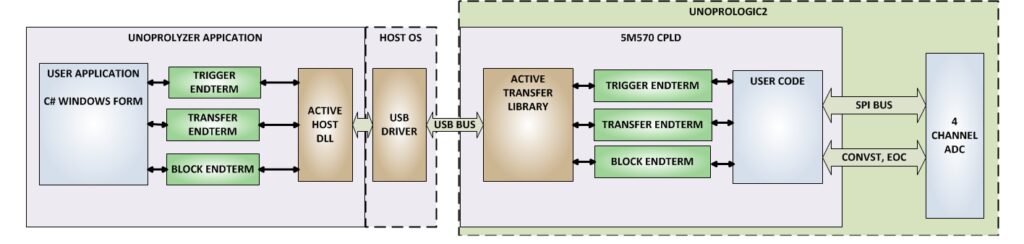
The EPT USB-CPLD development system provides a convenient, user-friendly work flow byconnecting seamlessly with Altera’s Quartus II software. The user will develop the code in the Quartus environment on a Windows Personal Computer. The programmable logic code is loaded into the CPLD using only the Quartus Programmer tool and a standard USB cable. The Active Host SDK provides a highly configurable communications interface between Arduino and host. It connects tsransparently with the Active Transfer Library in the CPLD code. This Active Host/Active Transfer combination eliminates the complexity of designing a USB communication system. No scheduling USB transfers, USB driver interface or inf file changes are needed. The EPT USB-CPLD development systemis a unique combination of hardware and software.
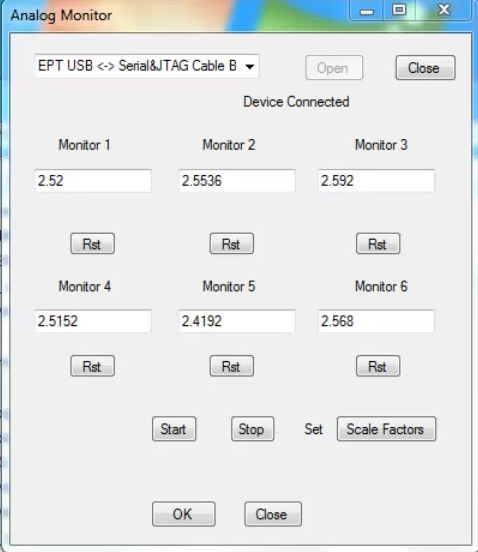
Use the C# examples included in the DVD to create your own display Window on the PC.The user comes complete with tutorial to instruct the user to easily build a Windows program that can display any data from your Arduino or other electronic device. The C# interface uses similar function calls to the Arduino function calls.
4 Channel Analog to Digital Converter
Examine four analog channels running up to 300 KSamples/second. The hardware has been simplified to remove extra cost. The input signals are limited to 0 to +5Volts and the sample rate is shared across all four channels. If you run one channel only, it will take advantage of the 300KSamples/second. If you run four channels, each channel will have a maximum sample rate of 75 KSamples/second.
The UnoProLyzer Application
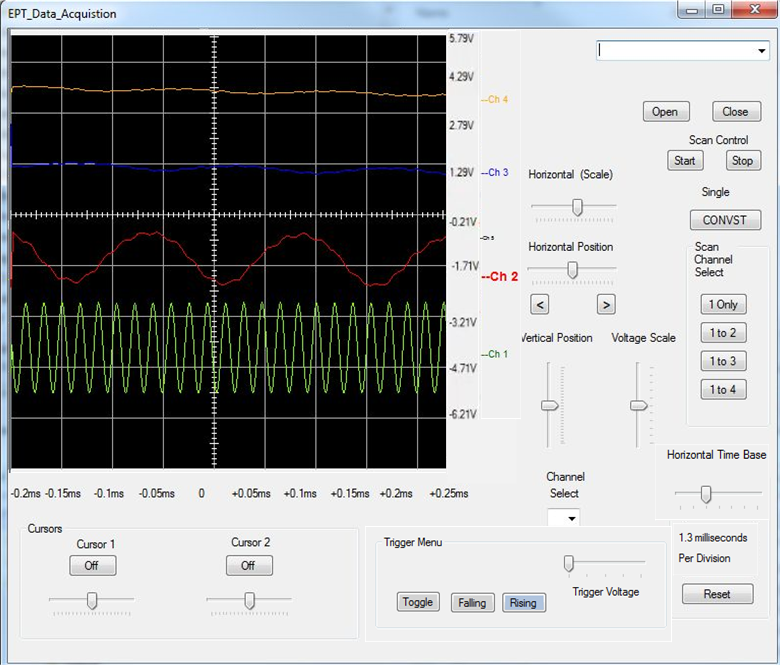
The UnoProLyzer is an Open Source Oscilloscope Application created by Terranologic. This application runs on a Windows PC. It sends commands to and receives the data from the UnoProLogic and stores each channel data in its own separate buffer in memory. The UnoProLyzer collects all samples from each channel by streaming across up to four dedicated communication “pipes”. The traditional USB oscilloscope performs all of its functions down at the hardware level. This includes
- Collecting samples
- Setting trigger level
- Detecting the trigger
- Storing samples
- Post processing samples
- Smoothing algorithms
- Sorting algorithms
- Scaling and Searching
These scopes will then send the selected data to be displayed on a laptop. Effectively using the laptop as a dumb terminal. However, the modern laptop is extremely powerful with multi-core processors and multi-threaded operating systems. So, why not take advantage of the processing power on the laptop. This is what the UnoProLogic and UnoProLyzer do so well. The UnoProLogic commands the ADC to start a conversion on the channels selected by the user. It then waits for the ADC to complete the conversion on all channels. It transfers the data for each channel across its own dedicated communication pipe. Then starts the process over again. The UnoProLyzer application will accept each data word and decode the pipe number it came across. It stores each word into a separate buffer for each channel. The UnoProLyzer then performs post processing on each data word. It performs trigger detection, smoothing, sorting, scaling and searching. It then displays the data set in 500 data point segments.
Programming Features
- Use Active Host API to send/receive data to/from the CPLD
- Create dynamic/interactive applications between the Arduino and the Windows PC.
Kit Contents
Th UnoProLogic kit contains the Development Board and a USB-C cable. DVD which includes the User Manual that walks the user through setting up the drivers, software, how to use to the test application. There is also a full tutorial in writing your first CPLD project, C# application and Arduino code. All the code for the projects are included.
Downloads
| 85-000010 | UnoProLogic USB-CPLD Development System User Manual | UNO_USB_CPLD_DEV_SYS_UM.pdf |
| 95-000010 | UnoProLogic USB-CPLD Development System Data Sheet | UNO_USB_CPLD_DEV_SYS_DS.pdf |
| 45-000010 | UnoProLogic USB-CPLD Development System Project DVD | UNO_USB_CPLD_PROPJECT_DVD |
| 55-000010 | UnoProLogic USB-CPLD Development System Schematics | UNO_USB_CPLD_SCHEMATICS.PDF |
| 35-000001 | EPT Drivers | Terranologic_USB_Blaster_Installer.zip |